

How the AI Corporate Email Finder Works
In Generect, the Email Finder is a tool that:- Generates a corporate email address based on a person’s name and company domain.
- Uses AI-driven pattern prediction to build the most likely email format.
- Automatically validates the generated email via SMTP.
The system generates an email using the most common corporate patterns:
- firstname.lastname@company.com
- firstname@company.com
- f.lastname@company.com
- firstnamelastname@company.com
- Valid
- Invalid
- SMTP (server does not provide full validation, but address structure is correct)
- A ready-to-use corporate email address
- A validation status (Valid / Invalid / SMTP)
- The result saved in your Finder History
How to Use Email Finder in Search Mode
Finding emails directly from ICP Search results
Inside the ICP Search results (Leads table), you can generate corporate emails instantly. Simply click Find Emails next to any lead.Generect automatically:
- extracts the lead’s first and last name
- identifies their company domain
- builds the most likely email pattern
- validates it via SMTP
Bulk generation inside ICP Search results
You can click Find Emails for as many leads as you like. After generation, every lead receives a status:- Valid
- Invalid
- Not opened (email hasn’t been revealed yet)
How to Use Email Finder in separeted tab
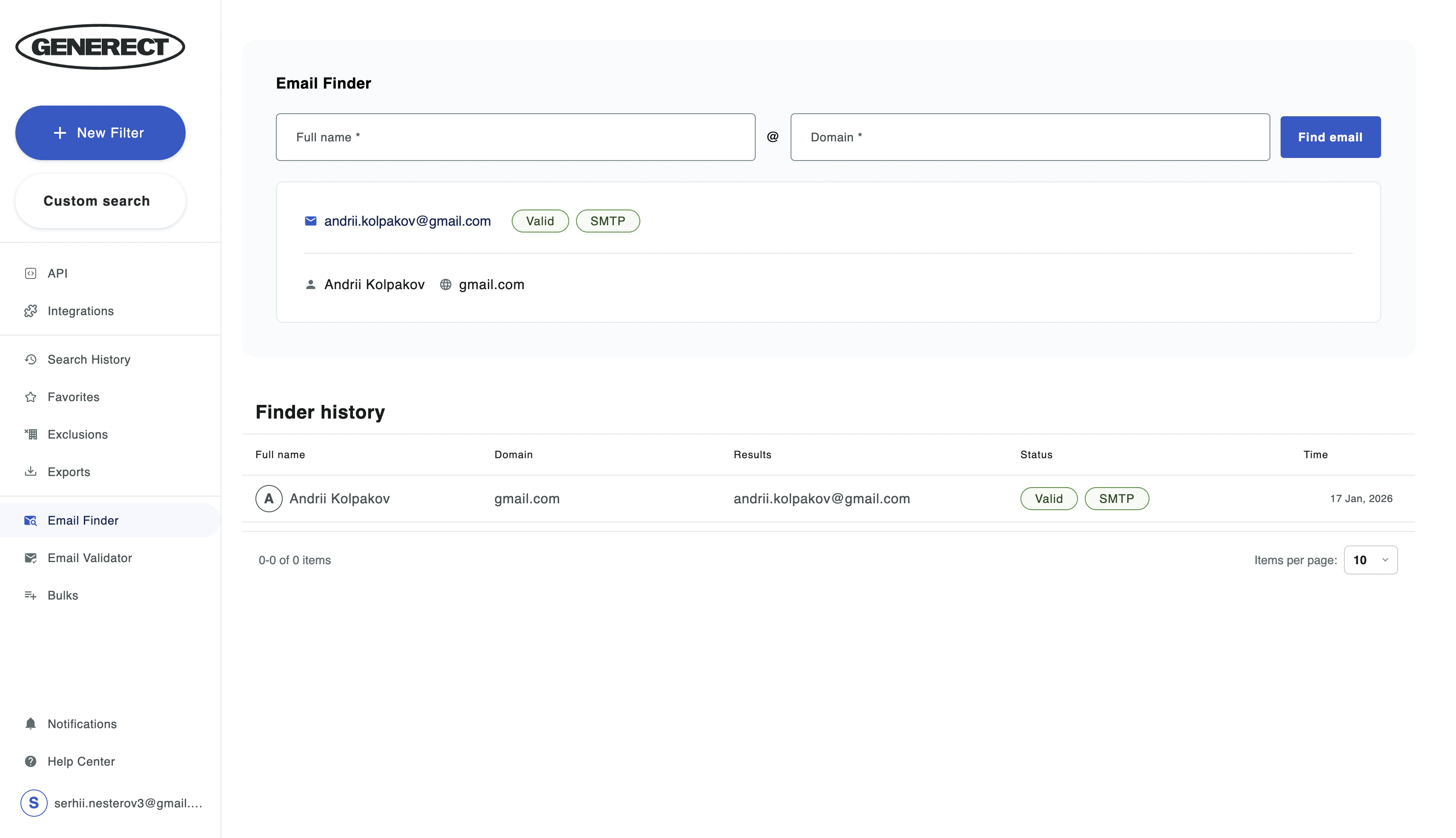
- Go to Email Finder in Side-Bar
- Enter the lead’s full name and email domain
- Click Find Email
- The result will appear in the table
Bulk Email Finder
If you need to find many email addresses at once:- Go to Bulks → Bulk email finder
- Upload a CSV or XLSX file containing:
- First name
- Last name
- Company domain
- The system processes each row (pricing is shown in the interface).
- Results appear as a structured table.
- a generated corporate email
- a status: Valid / Invalid / Catch-all / Unknown / SMTP