

What Are Exclude Lists and Why They Matter
Definition:Exclude Lists are lead or company lists that should be hidden from your search results. Anything added to an Exclude List will not appear in ICP Search results and will not be included in exports. You can create Exclude Lists in two ways:
- directly from your search results
- by uploading ready-made files in the Exclusions section
- avoid re-contacting leads that were already processed
- hide existing customers from new outbound searches
- filter out competitors, internal domains, or irrelevant companies
- save credits and team time by working only with relevant data
How to Access and Use Exclude Lists
Create an Exclude List from ICP Search results
- Run your ICP Search.
- Select the leads or companies you want to hide.
- Add them to an Exclude List – either create a new list or choose an existing one.
Upload a ready-made list in the Exclusions section
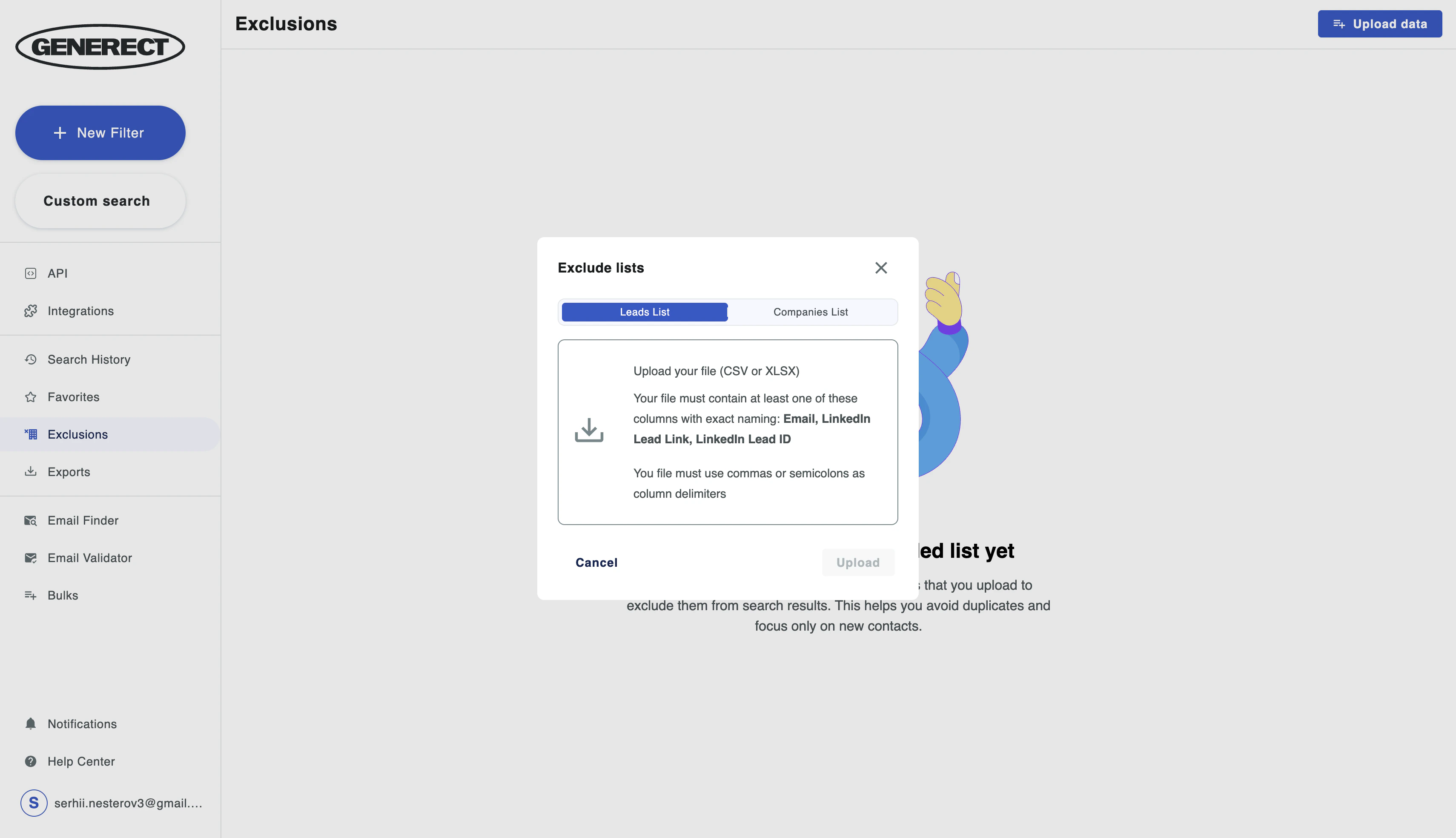
- Go to Exclusions in the sidebar.
- Click Upload data.
-
Choose the type of list:
- Leads List – must contain at least one of the following columns:
Email, LinkedIn Lead Link, LinkedIn Lead ID - Companies List – must contain at least one of the following columns:
Company Name, Website, LinkedIn Company Link, LinkedIn Company ID
- Leads List – must contain at least one of the following columns:
- Upload a CSV or XLSX file.
- The list will appear in your Exclusions library immediately after uploading.
- Open Search.
- In General filters, find the Excluded lists section.
- Select one or multiple exclude lists.
Use Cases for Exclude Lists
See practical examples of using exclude lists to improve search quality