> ## Documentation Index
> Fetch the complete documentation index at: https://docs.generect.com/llms.txt
> Use this file to discover all available pages before exploring further.
# Platform Overview
> Understanding the SaaS Interface and API access
Generect offers two ways to work with the platform – through the SaaS Interface or via API.
## SaaS Interface
A no-code interface designed for fast, intuitive lead search.
**What you can do in the SaaS Interface:**
* Run company and contact searches using ICP-based filters
* Use visual filters and saved filter presets
* Export data to CSV/XLSX
* Integrate your results with your CRM directly from the UI
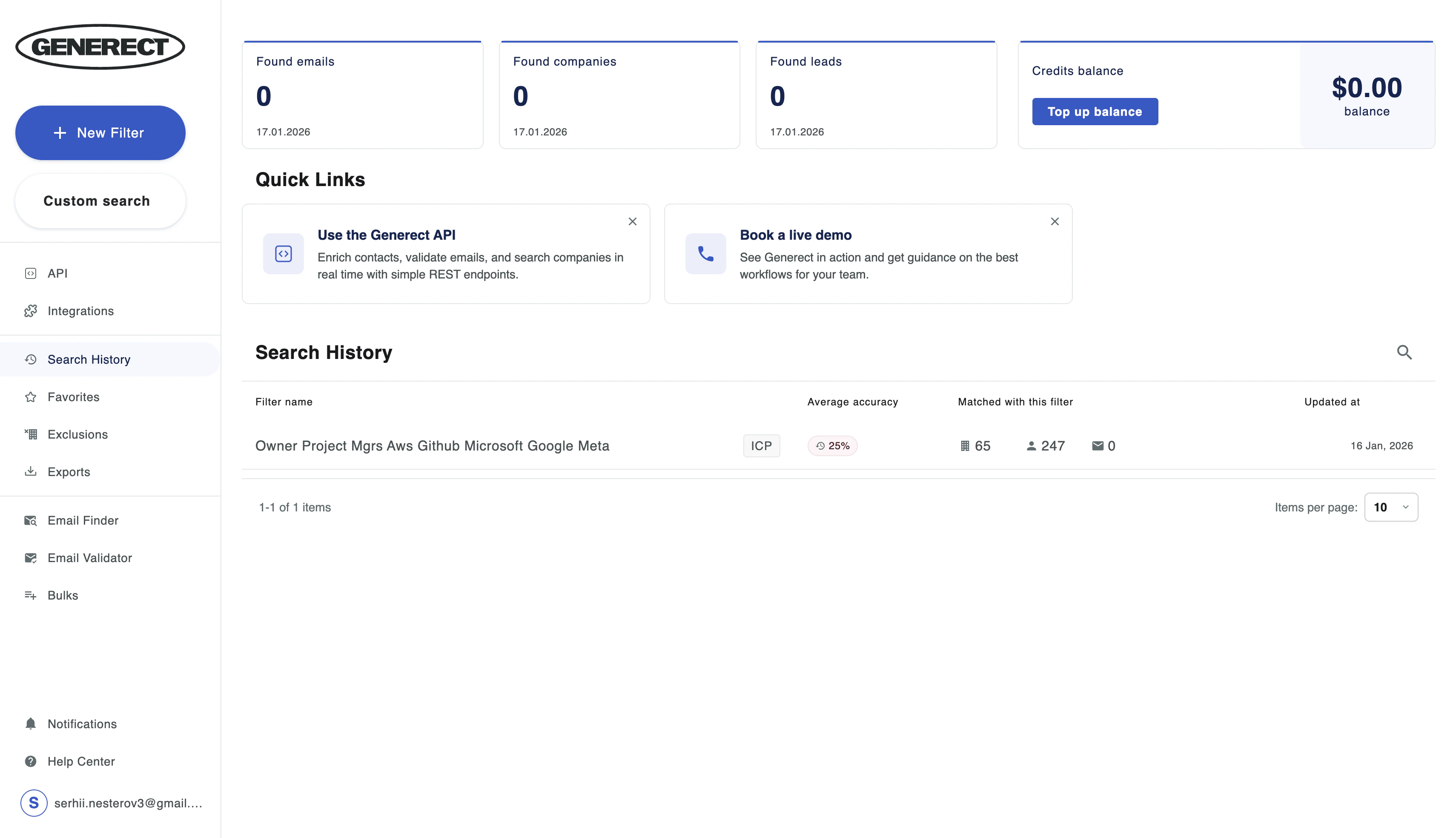
**Where everything is located in the SaaS Interface:**
* **Search**: Find companies and contacts based on your ICP
* **Email Finder / Validation**: Generate corporate emails and check deliverability
* **API Keys**: Create and manage your API keys
* **Integrations**: Connect Generect to your CRM or other tools
* **Billing**: View your balance, transaction history, top up your account, and track discount tiers
 ## API Access
For teams looking to automate workflows or integrate Generect directly into their systems.
**Features available via API:**
* RESTful API for full automation
* Programmatic access to all platform functionality
* Webhooks for real-time updates
* MCP (Model Context Protocol) for AI-powered data processing
### Key API Concept: Preview & Pay
You can search and preview results for free (showing basic info). You only pay when you decide to **reveal** full contact details, including email or phone.
* **Preview**: Free (Name, Company, Title)
* **Reveal**: Paid (Verified Email, Phone, Full Profile, Social Links)
Learn how to use the API
## API Access
For teams looking to automate workflows or integrate Generect directly into their systems.
**Features available via API:**
* RESTful API for full automation
* Programmatic access to all platform functionality
* Webhooks for real-time updates
* MCP (Model Context Protocol) for AI-powered data processing
### Key API Concept: Preview & Pay
You can search and preview results for free (showing basic info). You only pay when you decide to **reveal** full contact details, including email or phone.
* **Preview**: Free (Name, Company, Title)
* **Reveal**: Paid (Verified Email, Phone, Full Profile, Social Links)
Learn how to use the API